The First 7 Days: Onboarding Push Flows That Actually Keep Users
The average mobile app loses 74% of its users by day 7. That's not a slow leak. That's most of your users gone before they've had a chance to form a habit.
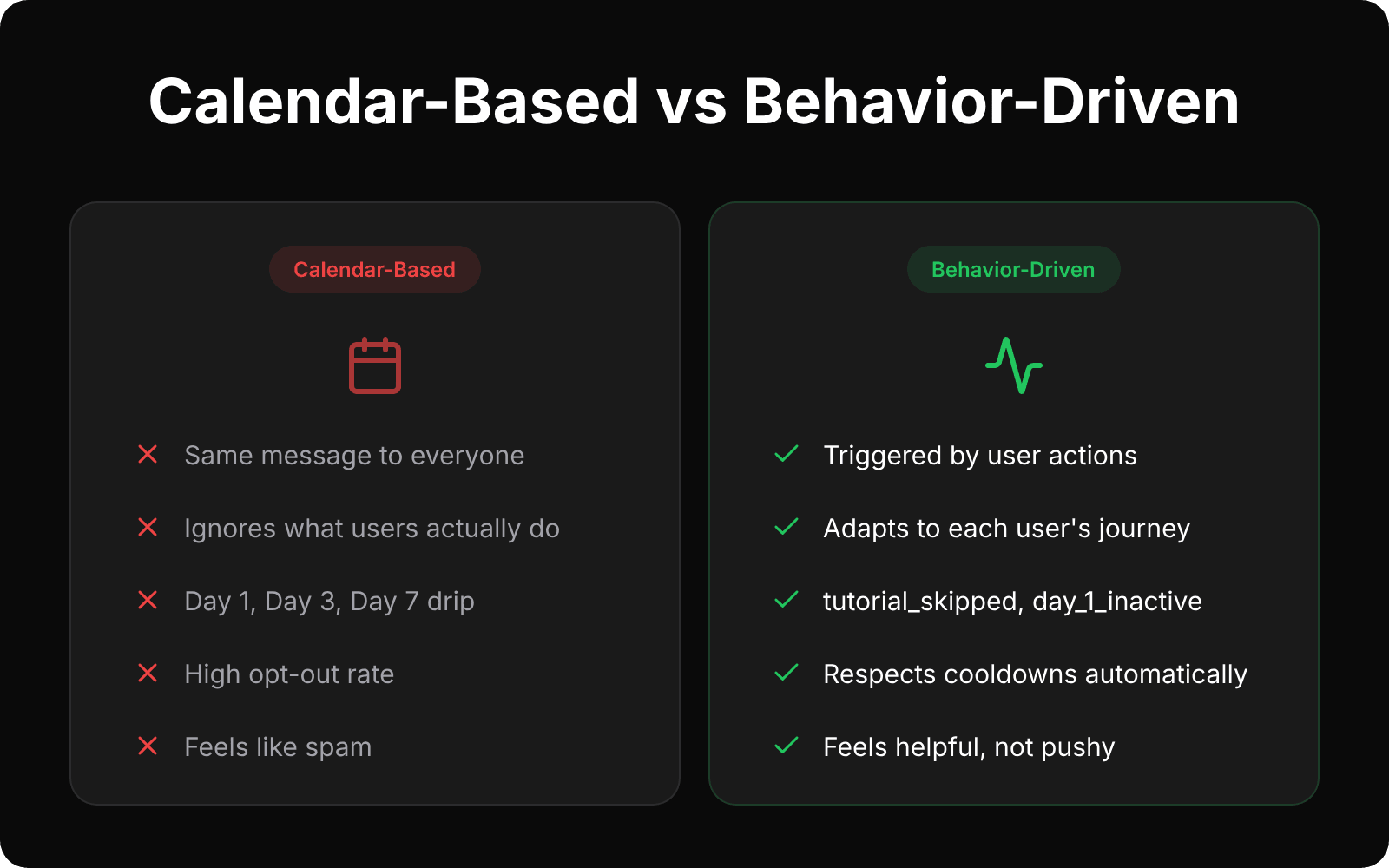
And here's what bugs me about how most teams try to fix this: they set up onboarding push notification flows that follow a calendar. Day 1, send a welcome. Day 3, remind them about a feature. Day 7, beg them to come back. The schedule looks neat in a spreadsheet. But it completely ignores what the user actually did in your app.
That's the core problem. Your onboarding flow talks at users instead of responding to them.
Why calendar-based onboarding flows don't work
The calendar approach feels logical. Space out your messages. Don't overwhelm on day one. Build a sequence.
But think about what this actually means in practice.
A user downloads your app, completes 3 sessions on the first day, explores every feature, and sets up their profile. The next morning, they get a push notification saying “Did you know you can customize your profile?” They already did that. Now your notification feels clueless.
Another user downloads the app, opens it once, taps around for 12 seconds, and leaves. They get the exact same message on the exact same schedule. No acknowledgment of the fact that they didn't even finish the tutorial.
Both users are at completely different stages. One is already engaged. The other is already gone. But the calendar treats them identically.
This is why 60% of users disable push notifications within their first week. They're not disabling notifications because they hate push. They're disabling notifications because the messages they're getting have nothing to do with what they need right now.
What behavior-driven onboarding push notifications look like
The fix is straightforward. Stop triggering notifications based on when someone signed up. Start triggering them based on what they did — or didn't do.
Here's what that looks like with real events:
tutorial_skipped— Your user opened the app, got to the tutorial, and swiped past it. That's a signal. Four hours later, send them a short version: “Skipped the walkthrough? Here's the 2-minute version.” But only if they haven't come back and completed it on their own.
first_session_complete— They finished their first real session. Great. Now suggest the next logical step, but only if they haven't already discovered it. “You finished your first workout. Want to set a weekly goal?” Not a generic “Welcome to the app!” they got 3 days too late.
day_1_inactive— 24 hours passed and they haven't returned. This is the moment most apps lose people. But the message should be different depending on where they stopped. Did they create content? Mention it's waiting for them. Did they bail during setup? Offer help.
second_purchase or level_5_complete— They hit a milestone. Celebrate it. Don't try to sell them something. “Level 5, nice. Took most people twice as long.” That's it. A moment of recognition, not a pitch.
Here's a quick example of how you'd track one of these events with SmartAppPush:
curl -X POST https://api.smartapppush.ai/events \
  -H "Content-Type: application/json" \
  -d '{
    "tenant_id": "your_tenant_id",
    "api_key": "your_app_api_key",
    "app_user_id": "user_123",
    "event_name": "tutorial_skipped",
    "event_time": "2026-04-14T10:30:00+03:00",
    "device_token": "fcm_token_here",
    "platform": "android",
    "push_permission_granted": true,
    "timezone": "Europe/Istanbul",
    "language": "en",
    "country": "US",
    "session_id": "sess_abc123",
    "params": {
      "screen": "onboarding_step_2",
      "time_spent_seconds": 12
    }
  }'
Once SmartAppPush receives this event, it can trigger an auto campaign with a delay, a cooldown, and a condition that checks whether the user completed the tutorial before the notification fires. The logic lives on our side. You just track what happened.
See the full event tracking API docs for the complete list of supported events.
The 4 onboarding notifications that actually matter
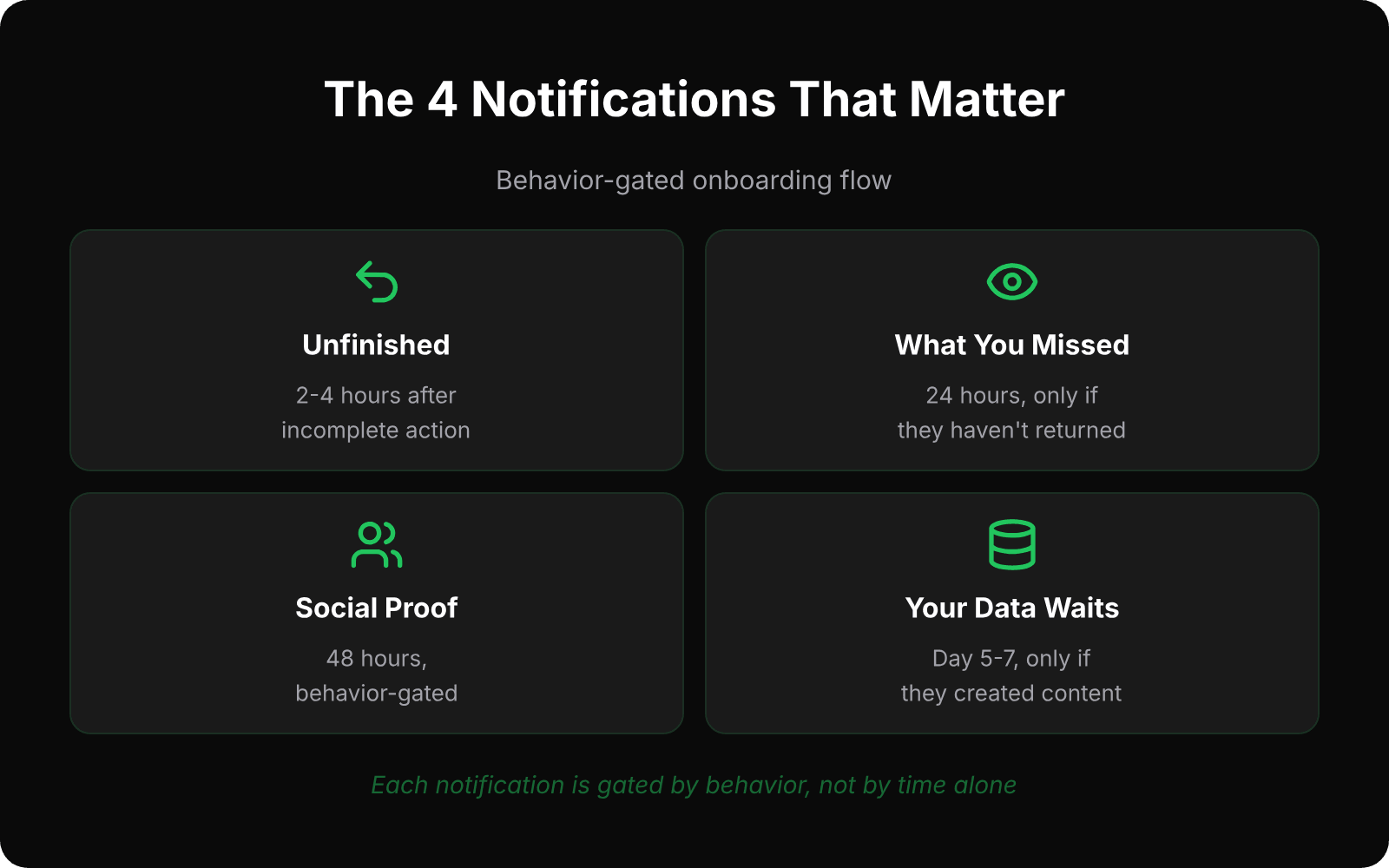
You don't need a 14-message drip sequence for onboarding. Most apps need four notifications, max. Here's what we've seen work, and more importantly, when each one should fire.
1. The “you left something unfinished” nudge
Timing: 2–4 hours after an incomplete action.
Example: “You started setting up your profile but didn't finish. Pick up where you left off.”
When NOT to send: if they came back and finished it themselves.
2. The “here's what you missed” nudge
Timing: 24 hours after last session, only if they haven't returned.
Example: “3 new items match your preferences since yesterday.”
This only works if your app has some kind of feed, content, or data that changes. If your app is static, skip this one entirely.
3. The social proof nudge
Timing: 48 hours, behavior-gated.
Example: “Users who set up reminders stick around 4x longer. Want to add one?”
This is the gentlest push in the sequence. It doesn't tell them what to do. It tells them what people like them did. And it only fires if they haven't already taken that action.
4. The “your data is waiting” nudge
Timing: Day 5–7, only for users who created content or data.
Example: “Your 3 saved recipes are waiting. Open the app to finish your meal plan.”
This is your last shot before the user forgets your app exists. It works because it references something specific they invested time in. If they didn't create anything, don't send this. You have nothing to anchor the message to.
The key with all four: they're gated by behavior, not by time alone. And SmartAppPush enforces cooldowns between messagesautomatically. A user won't get notification #2 if they just received #1 two hours ago. That's not an optional setting you toggle on. It's built into every campaign.
How to set this up with 3 API calls
If you've read our post on integrating push without an SDK, you already know the basics. The entire SmartAppPush integration is 3 HTTP calls:
1. Register the device.Your app gets a device token from iOS or Android. Send it to SmartAppPush with the user's ID. One call.
2. Track events. When something meaningful happens in your app (tutorial skipped, first purchase, day 1 complete), send the event. SmartAppPush uses these to trigger the right notification automatically through auto campaigns.
3. Update user properties. Share things like language, subscription tier, or onboarding status. This lets you target campaigns to the right audience.
That's it. No SDK, no package to install, no build dependencies.
And here's the part that keeps surprising people: because the integration is so simple, AI coding tools handle it really well. We publish ready-made integration guidesthat you can drop into Cursor or Claude Code. Tell it “add onboarding event tracking for SmartAppPush” and it handles the rest. The whole thing takes about 15 minutes.
Check out the quick start guide if you want to see the full setup.
Stop treating onboarding like a drip campaign
Onboarding isn't a 7-day email sequence you port to push notifications. It's a response system. Your user does something (or doesn't), and your app responds with the right message at the right moment.
The numbers back this up. According to Business of Apps, the average app retains just 26% of users on day 1 and 13% by day 7. That's a 50% drop in a single week. The apps that beat those numbers aren't sending more notifications. They're sending fewer, better ones — timed to what the user actually did.
SmartAppPush is built for exactly this. Behavior-driven campaigns, automatic cooldowns, and an integration simple enough that your AI coding assistant can set it up in one session.
Try it free at smartapppush.ai or read the docs to see how it works.
Ready to send smarter push notifications?
Build smarter engagement with SmartAppPush.
Get Started Free