Push Notifications Without an SDK: Why 3 Simple Steps Are All You Need
I want to talk about something that bothers me every time I look at how push notification platforms ask you to connect.
Why is it so complicated?
You're sending a message to a phone. The phone already knows how to receive push notifications — Apple and Google built that in. Your app just needs to tell the delivery service “send this text to this person.” It's a simple handoff. A solved problem.
So why does every push notification platform hand you a 40-page setup guide, ask you to install extra software for each platform, and add layers of complexity that slow down your app?
Because they're selling a platform, not solving your problem.
The hidden cost nobody talks about
Here's what happens when you install a push notification toolkit into your mobile app:
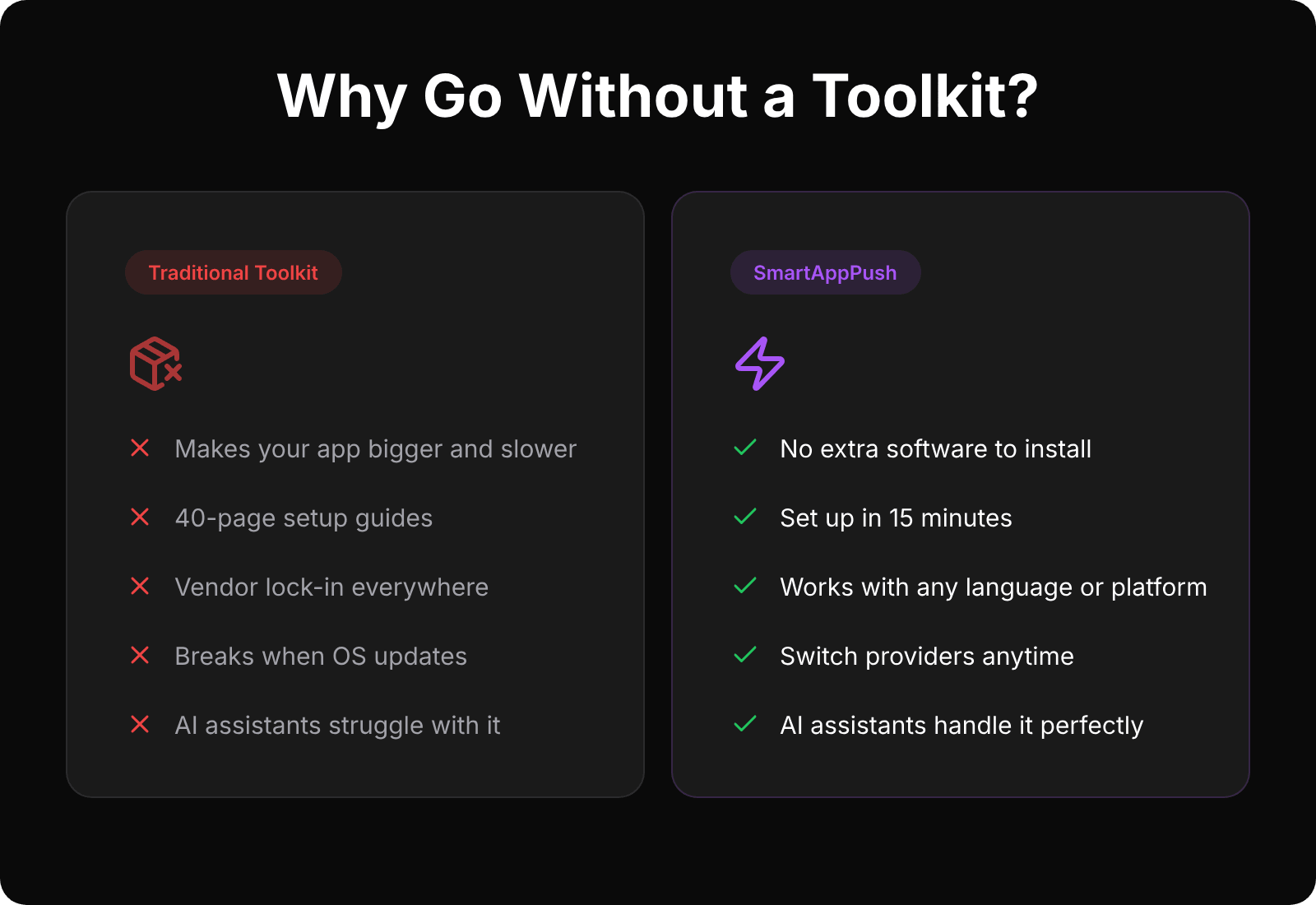
Your app gets bigger. Your build process gets slower. You inherit someone else's bugs. Every time the toolkit updates, you need to test everything again. Every time Apple or Google releases a new version of their operating system, you're stuck waiting for the toolkit vendor to catch up before you can ship.
And the lock-in. If you ever want to switch providers, you're pulling out toolkit-specific code from every corner of your app. Setup code, event tracking, device registration, in-app link routing. It's tangled everywhere because the toolkit was designed that way. That's not a coincidence.
For big companies with dedicated teams, this is annoying but manageable. For a solo developer or a small team? It's a real cost. Time spent fighting with setup and configuration is time not spent building features your users actually want.
What if you just... didn't?
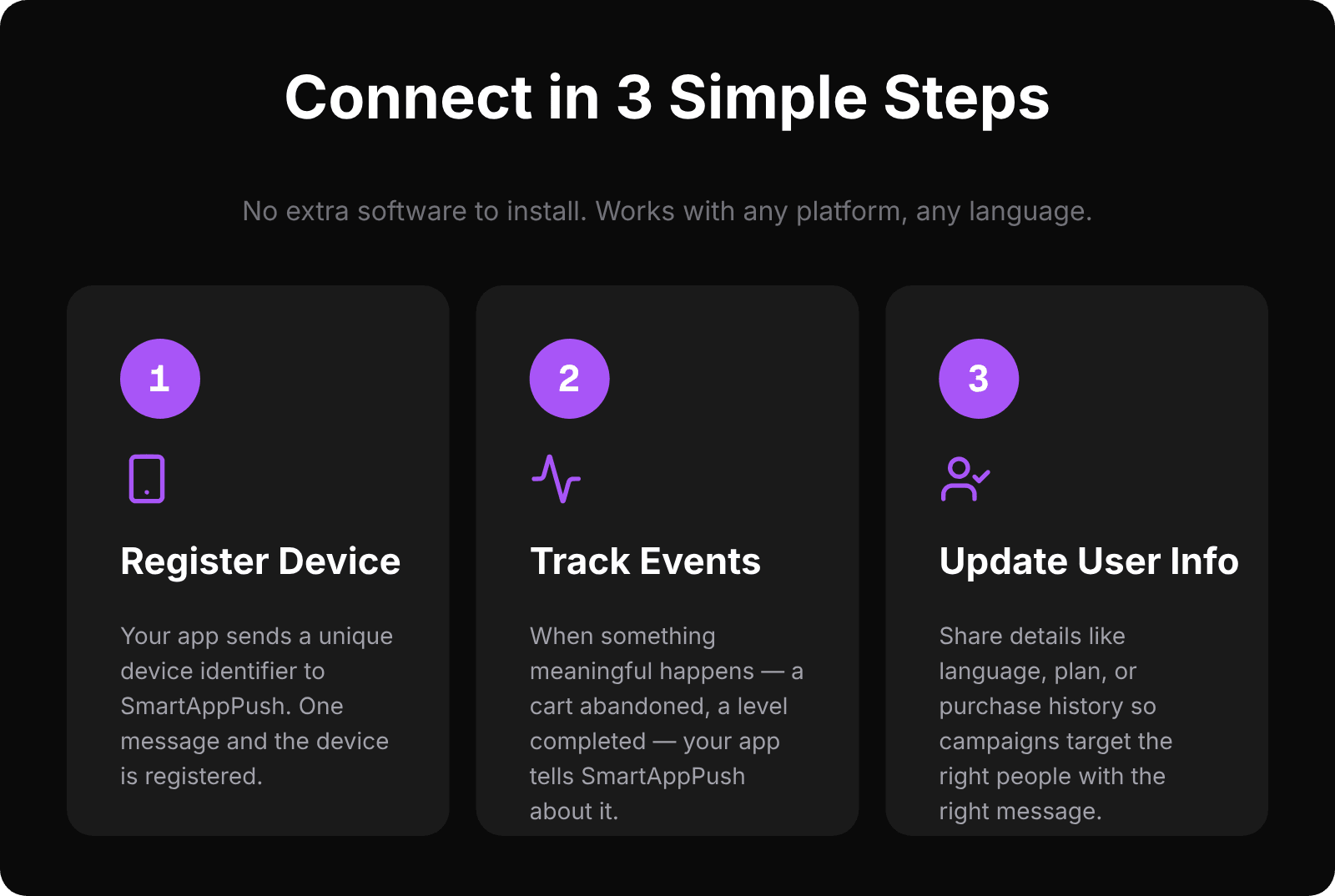
When we built SmartAppPush, we made a deliberate choice: no extra software to install. The entire connection is three simple steps.
1. Register a device
Your app already gets a unique device identifier from the operating system. You send that to SmartAppPush along with the platform (iOS or Android) and a user ID. One message, and the device is registered. Done.
See how event tracking works →
2. Track what happens in your app
When something meaningful happens — a cart is abandoned, a level is completed, a subscription is about to expire — your app tells SmartAppPush about it. SmartAppPush uses these events to trigger the right notification automatically.
3. Keep user info up to date
Share details like language, subscription plan, or last purchase date so your campaigns can target the right people with the right message.
That's it. Three steps. Works with any programming language, any platform. If your app can send a simple message to a web address, you can connect SmartAppPush.
Read the full quick start guide →
The AI coding assistant angle
Here's something we didn't plan for but turned out to be one of the best decisions we made.
Because our setup is so simple, AI coding assistants are really good at doing it for you. We publish ready-made guidesthat you can drop into your project. Open your AI coding tool — Cursor, Claude Code, GitHub Copilot, whatever you use — tell it “integrate SmartAppPush push notifications into my app,” and it handles the rest. You're shipping push notifications in about 15 minutes.
Try doing that with a traditional toolkit. The AI has to figure out complex setup patterns, platform-specific configuration, and dozens of moving parts. It works sometimes. It breaks often. With our simple approach? It just works.
We started calling this “AI-native”integration, and honestly, for indie developers using AI coding tools (which is most indie devs in 2026), it's become the top reason people tell us they picked SmartAppPush.
But doesn't a toolkit give you more features?
This is the objection we hear most. “Toolkits handle device token updates, offline delivery, rich notifications, in-app links...”
Let's break that down:
Device token updates? The operating system handles this. When the token changes, your app gets notified. You send us the new one. Two lines of code.
Offline delivery?If the device is offline, Apple and Google already queue the message and deliver it when the device comes back online. That's literally what they do. A toolkit isn't adding anything here.
Rich notifications? Images, buttons, and custom layouts in notifications are built into the operating system. SmartAppPush sends them through your push provider. No extra software needed on the user's device.
In-app links? SmartAppPush supports per-campaign, per-language links that open specific screens in your app. You set them up in the dashboard. Your app handles them the same way it handles any link. Again, no extra software needed.
The “features” that toolkits provide are mostly convenience wrappers around things the operating system already does. And the price of that convenience is bloat, complexity, and lock-in.
What you get without the baggage
Keeping the setup this simple means we could focus our time on the parts that actually matter:
Behavior-driven campaigns. Your events trigger notifications automatically. Cart abandoned? Send a recovery message after 2 hours, but only if the user hasn't already completed the purchase. That logic lives on our side. You just track the event.
31 languages out of the box. Every campaign can be translated with a smart fallback system. Not machine translation. Real localization with right-to-left support for Arabic, character-aware limits for Japanese, and correct grammar handling for Turkish. On every pricing tier, including free.
Anti-spam built into the core. Cooldownsbetween messages. Message rotation so users don't see the same notification twice. Frequency caps. These aren't optional add-ons you toggle on. They're built into every campaign because we believe sending fewer, better notifications is the only approach that works long-term.
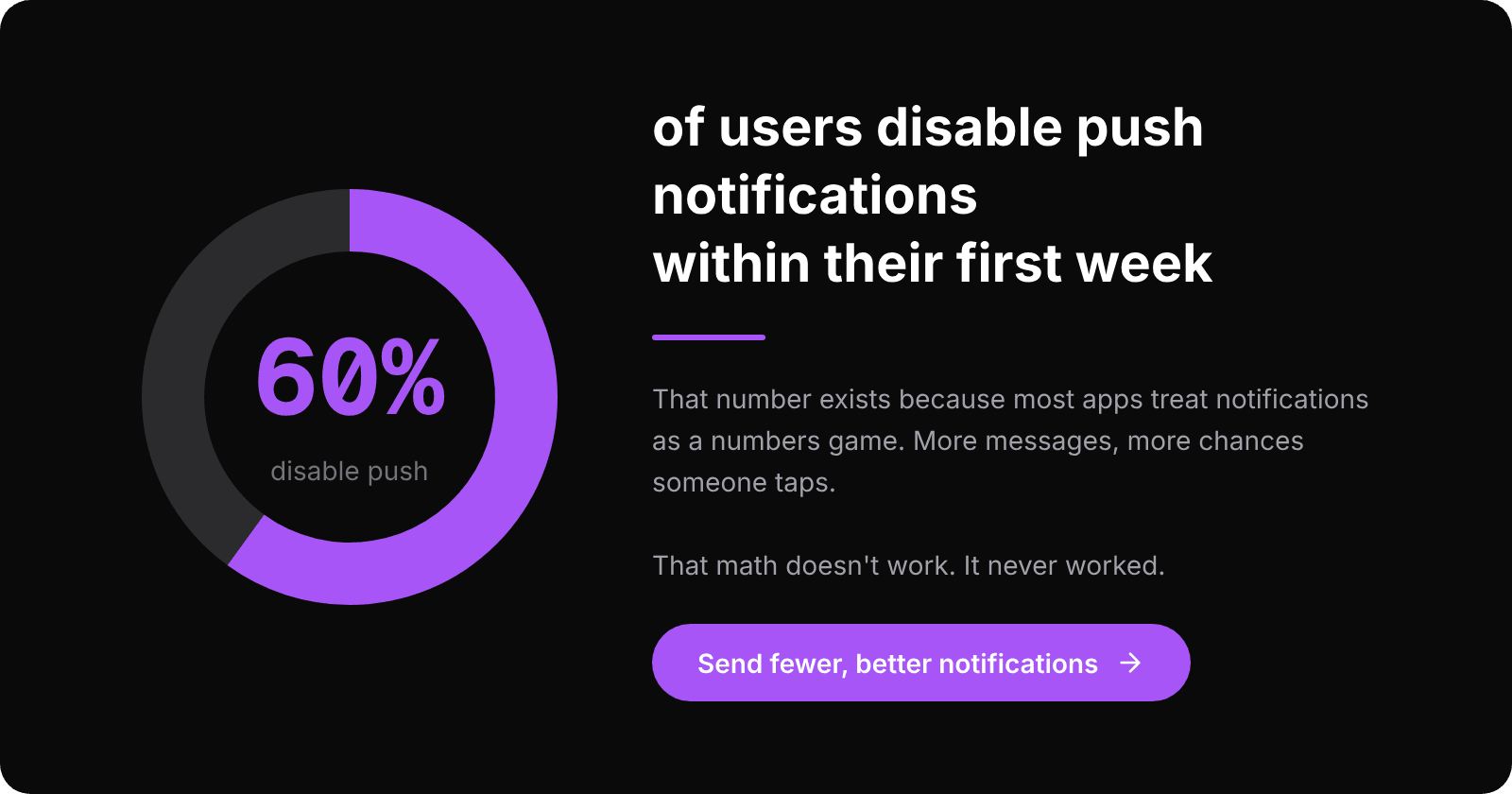
60% of users disable push notifications within their first week.That number exists because most push implementations treat notifications as a numbers game. More messages, more chances someone taps. That math doesn't work. It never worked. The users who mute you on day 3 were never coming back from a 7th “Hey, come back!” message.
Try it
SmartAppPush is live and free to try. The free tier includes every feature. Not a limited version with upgrade prompts. The actual platform.
Three steps. No extra software. Push notifications that respect your app and your users.
If you're building an app and you've been putting off push notifications because the setup looked like a pain, this is your sign to stop procrastinating.
Get started at smartapppush.ai · Read the docs · See how AI can set it up for you
Ready to send smarter push notifications?
Build smarter engagement with SmartAppPush.
Get Started Free