Cart Abandonment Push Notifications: Why One Smart Push Beats Three Generic Ones
Mobile cart abandonment sits at 77% in 2026. That's higher than desktop (65%) by a wide margin, and most apps respond to it the same way: a 3-push sequence at 1 hour, 24 hours, and 72 hours.
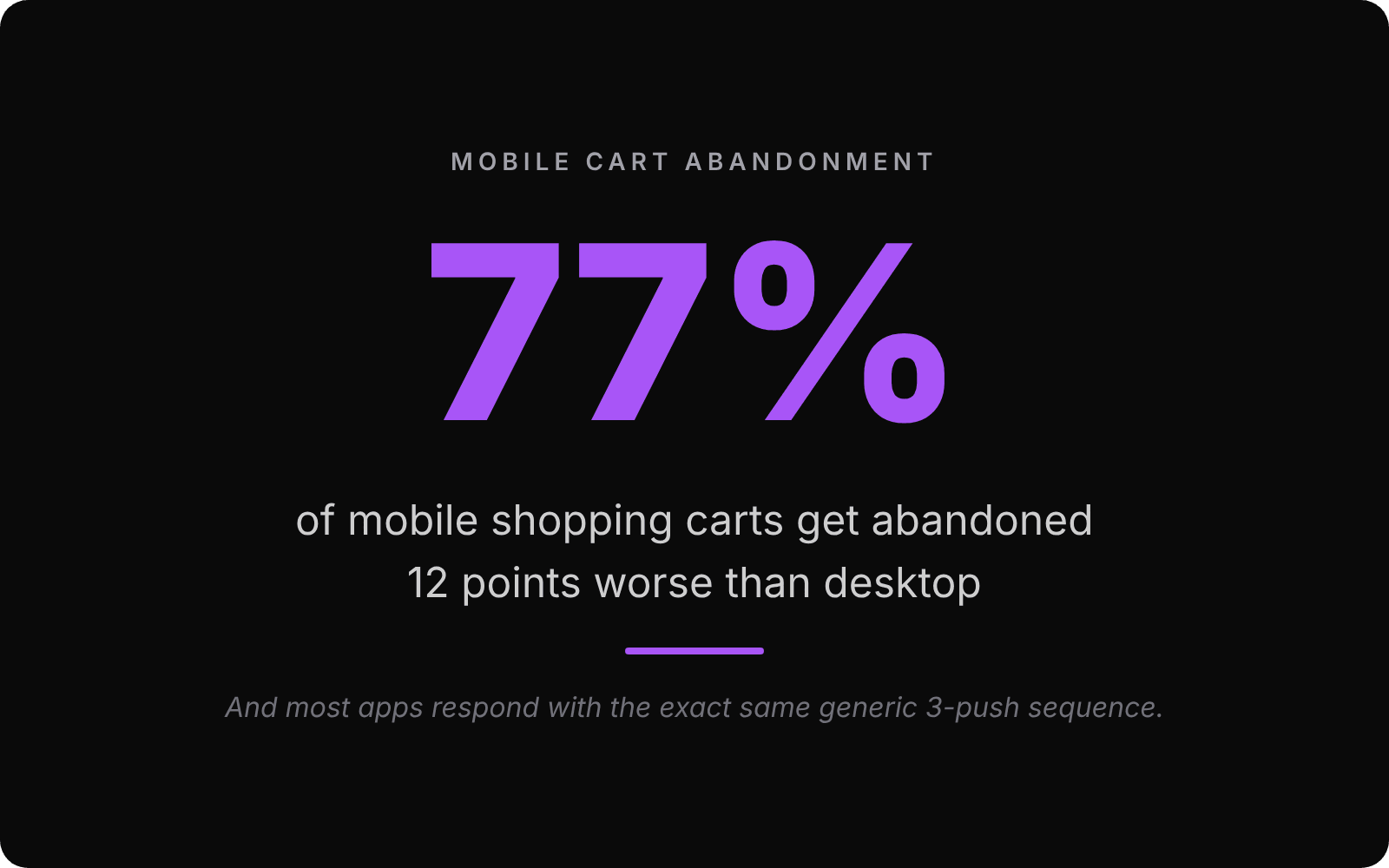
Here's the problem with that approach. It treats every abandoned cart the same. The $200 cart from a first-time visitor who bailed at the payment step gets the exact same nudge as the $14 cart from a returning customer who closed the app to check a coupon site. Your sequence ignores both signals and burns through the user's patience whether or not the second and third pushes were ever needed.
I want to walk through what we've actually seen work. It involves sending fewer pushes, not more. And it starts with a question most teams skip.
What stage did they actually bail at?
There's a meaningful difference between three cart events:
add_to_cartfollowed by silence. Browsing intent. Low commitment.cart_viewedfollowed by silence. Active interest. Didn't pull the trigger.begin_checkoutorcheckout_abandoned. High intent. Something went wrong at the last mile.
A user who hit add_to_cart and disappeared is browsing. They might come back. They might not. A “Don't forget your cart” push at 1 hour is at best ignored and at worst annoying enough to get muted — one of the main reasons users disable push notifications in the first place.
Someone who started checkout and bailed is a different animal entirely. They wanted to buy. Something specific stopped them. Maybe their card was declined. Maybe shipping was higher than expected. Maybe they got distracted by a phone call. That user gets a useful push if you send it within the right window. The browser doesn't.
The first decision is binary: did they enter checkout, or not?
The 1-hour rule is mostly cargo-culted
The “send a push at 1 hour” rule is everywhere. It comes from email recovery research where 1 hour was the sweet spot between “still thinking about it” and “already moved on.” It got copy-pasted into push notifications without anyone questioning whether it transfers.
It mostly doesn't. Push interrupts. Email waits in an inbox. If a user is mid-meeting at 3pm and you push them at 4pm with “Did you forget your cart?”, you're not reminding them. You're interrupting them. They dismiss it, and your next push has even less weight.
What actually works is anchoring the push to two things. First, what stage they bailed at. Second, what they were doing right before they bailed. If they hit checkout_abandoned with cart_total: 125.50 and step: “payment_info”, you have enough context to write a useful message. Not “Don't forget your cart!” but something specific. “Card issue at checkout? Try Apple Pay. Most carts go through on the first try.”
That's not a sequence. It's a single, specific push, anchored to the actual problem — the same logic behind event-driven over scheduled push notifications.
The stage-to-push decision matrix
For checkout abandonments, the window we've seen work is 30 minutes to 4 hours. Not 1 hour exactly. Inside that window, the user still remembers what they were doing. Outside of it, the cart has decayed in their head. They've moved on. A push at 24 hours is asking them to reconstruct their entire shopping intent from scratch, which they won't do.
For cart-only abandonments (no checkout), don't send a push within 4 hours at all. They were browsing. Wait at least 24 hours. Better: wait until you have a real reason to ping them. Did the price drop? Did the item start trending? Is it almost out of stock? That's an event you can anchor to. A timestamp isn't.
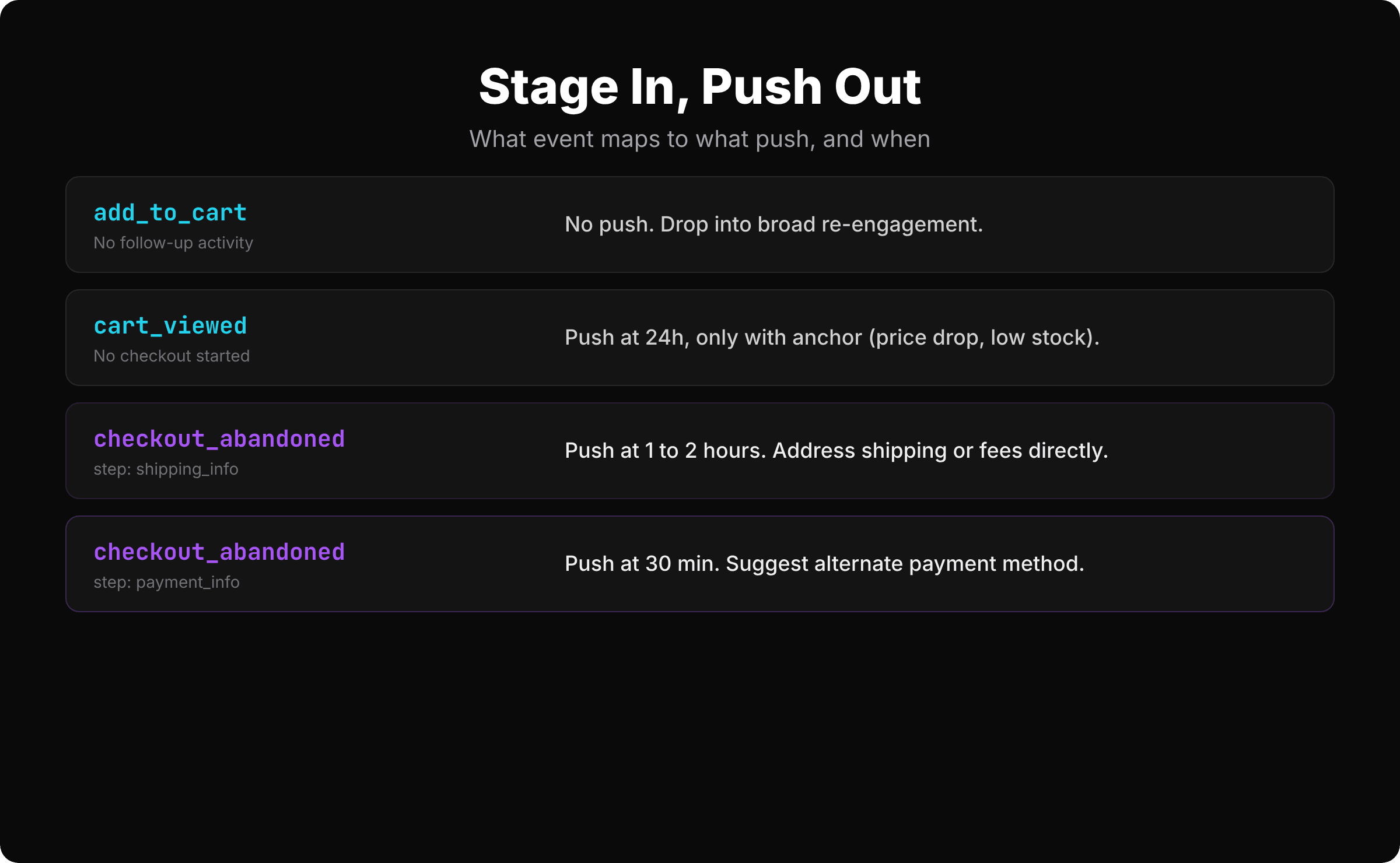
The pattern: high-intent users get fast, specific pushes. Low-intent users either get nothing or get pulled into your normal re-engagement flow, which is a different conversation.
Tracking the right events
If you're using SmartAppPush, the events are already in the catalog. The whole pipeline runs over plain HTTP — no SDK to install. Here's what tracking a checkout abandonment looks like:
curl -X POST https://api.smartapppush.ai/events \
  -H "Content-Type: application/json" \
  -d '{
    "tenant_id": "your_tenant_id",
    "api_key": "your_app_api_key",
    "app_user_id": "user_123",
    "event_name": "checkout_abandoned",
    "event_time": "2026-04-30T14:30:00+03:00",
    "device_token": "fcm_device_token_here",
    "platform": "android",
    "push_permission_granted": true,
    "timezone": "America/New_York",
    "language": "en",
    "country": "US",
    "session_id": "sess_xyz789",
    "params": {
      "cart_total": 125.50,
      "item_count": 3,
      "currency": "USD",
      "step": "payment_info"
    }
  }'
The params.stepis the part most teams skip. It's also the part that lets you write a push that doesn't sound generic. A payment-step abandonment gets one message. A shipping-step abandonment gets a different one. The event payload carries the context. Your campaign just reads it.
See the full event tracking API docs for the schema and the auto campaigns docs for how to wire the trigger.
Copy that recovers vs. copy that gets muted
The actual notification text matters as much as the timing. Three before/after examples:
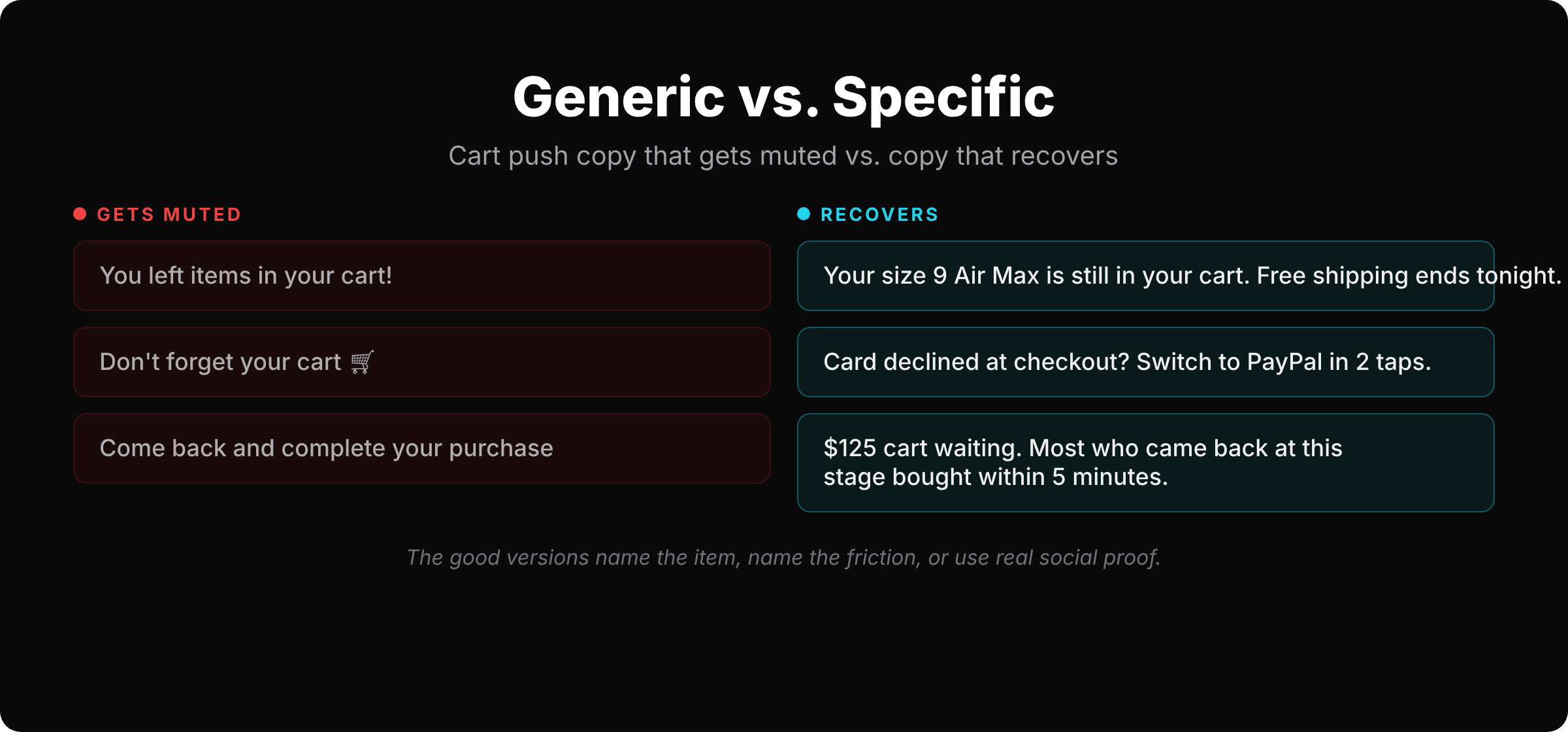
Bad: “You left items in your cart!”
Better:“Your size 9 Nike Air Max is still in your cart. Free shipping ends tonight.”
Bad: “Don't forget your cart 🛒”
Better:“Card declined at checkout? You can switch to PayPal in 2 taps.”
Bad: “Come back and complete your purchase”
Better:“$125 cart waiting. Most people who came back at this stage bought within 5 minutes.”
The first version of each is generic. It assumes the user forgot. The second version assumes they bailed for a reason and addresses it. That's the difference between recovery and noise.
The better versions all do one of three things: name the specific item, name the specific friction, or use real social proof. None of them say “don't forget.” Adults don't forget about $125. They got interrupted, or they hit a wall.
When NOT to send a cart abandonment push
A few hard rules. None of these are nice-to-haves.
Active session.If the user is currently using your app, don't push them about their cart. They'll see it on screen. Pushing them looks dumb.
Recent purchase. If they fired a purchase_completedevent in the last 24 hours, skip the cart push. They're already a customer. Don't pester them.
Already pushed today.Cooldowns aren't optional. If they got any push from you in the last 4 hours, queue this one for later or drop it entirely.
Low cart value.A $4 cart isn't worth a push. The cost-per-attention isn't worth the optics. Set a floor (most apps land around $20–30) and don't push below it.
SmartAppPush enforces cooldowns between messages automatically, and auto campaigns let you target only high-value abandonments with SQL-based targeting rules. You set the floor once, it filters every send.
The recovery math actually works (when you do it right)
For the apps doing this right, mobile cart push recovery sits in the 10–15% range, with click-through rates around 16% according to recent benchmarks. That's higher engagement than email or ads. But those numbers come from the apps that send fewer, smarter pushes. The apps that blast a 3-step sequence at every abandoned cart see those numbers cut in half because half their pushes are getting dismissed before they even register.
If you're starting from scratch, here's the order I'd build it in:
- Track
checkout_abandonedwith thestepparameter. Send one specific push within 30–120 minutes based on the step. That's it. Ship that first. - Add a
cart_viewedcampaign with a 24-hour delay, gated by an anchor event (price drop, low stock). Skip it if you don't have those signals yet. - Set a cart-value floor. Filter out low-value abandonments at the campaign level.
Three campaigns total. Each one fires only when it's useful. Each one assumes the user bailed for a reason and addresses it.
Cart abandonment isn't a sequence. It's a moment.
The right response is one push that addresses what the user was actually doing. Not three generic reminders that pretend you don't know. The user knows you have their data. Acting like you don't is the worst version of this conversation.
SmartAppPush is built for this. Behavior-driven campaigns with event payload access, automatic cooldowns, and a pre-built cart abandonment template you can ship quickly.
Try it free at smartapppush.ai or read the docs to see how the cart-abandonment template fires.
Ready to send smarter push notifications?
Build smarter engagement with SmartAppPush.
Get Started Free