The Complete Guide to Push Notification Localization in 2026
Your app has users in 20 countries. Your push notifications are in English. You're leaving engagement — and revenue — on the table.
CSA Research reports that 72% of users prefer content in their own language, and 40% will never buy from a website in a foreign language. Push notifications are even more personal than web content — they show up on the lock screen, in the notification shade, alongside messages from friends and family. A notification in a language you don't speak isn't just ineffective. It feels like spam.
Why Most Apps Skip Localization
The reasons are always the same:
- “We don't have a localization team.” Neither do 95% of indie devs and startups. But you don't need one for push notifications — you need 2–3 sentences per language.
- “Translation is expensive.” For a full app, maybe. For push copy? You're translating titles under 100 characters and bodies under 500. AI translation tools handle this in seconds, and a native speaker can review in minutes.
- “Our push platform doesn't support it.” This used to be true for most tools. It's no longer a valid excuse — modern platforms support per-language message variants with automatic locale matching.
How Push Localization Works
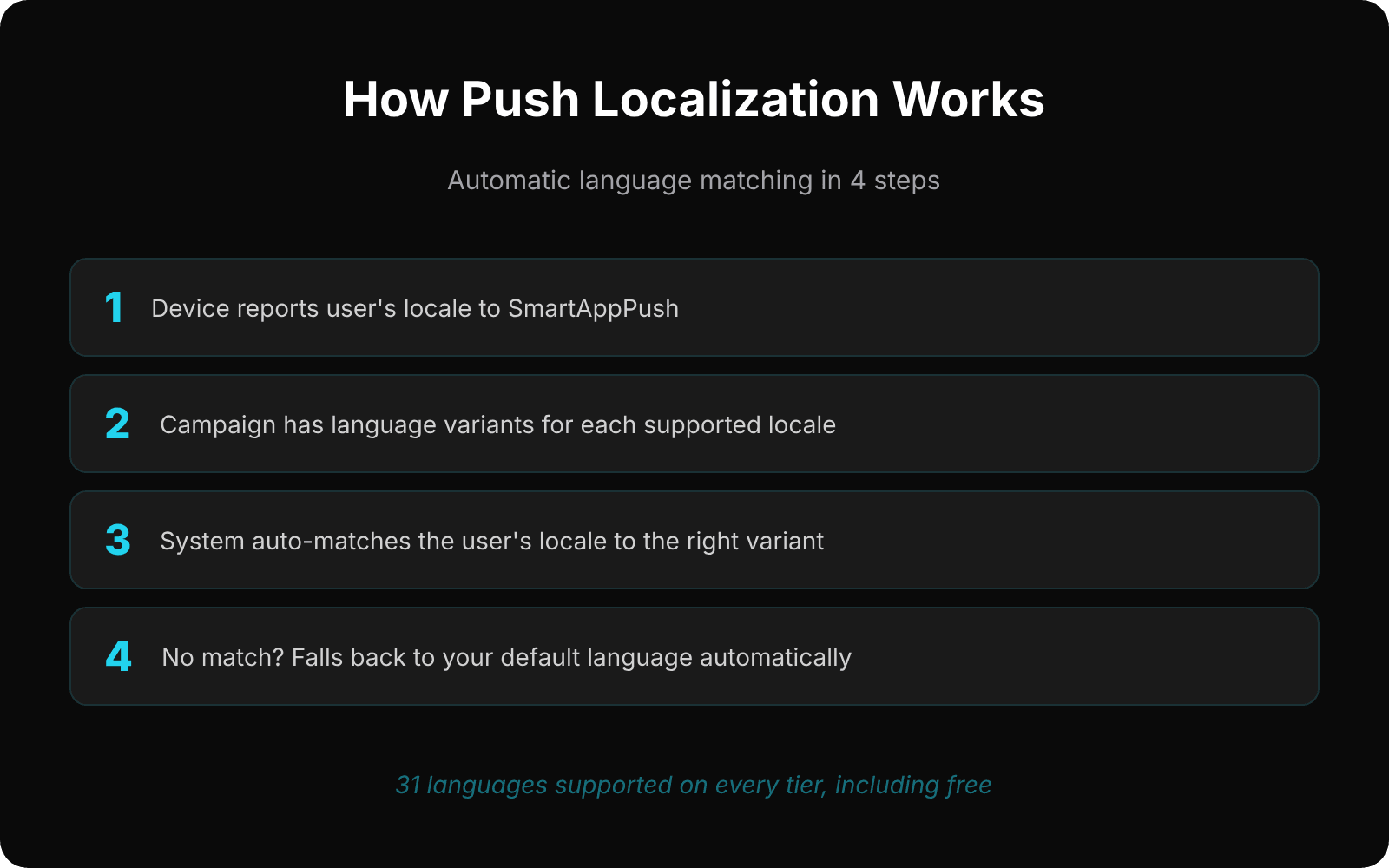
A properly localized push system follows this flow:
- User's device reports a locale (e.g.,
defor German,jafor Japanese,trfor Turkish). This is captured when the user sends events to your push platform. - Campaign has multiple language variants. Each variant has its own title, body, deep link, and optional image. You write one message per language.
- At delivery time, the system matches the user's locale to the available variants. German user gets the German message, Turkish user gets the Turkish message.
- If no match exists, the default language is used as a fallback. This is typically English, but you can set it to whatever your primary audience speaks.
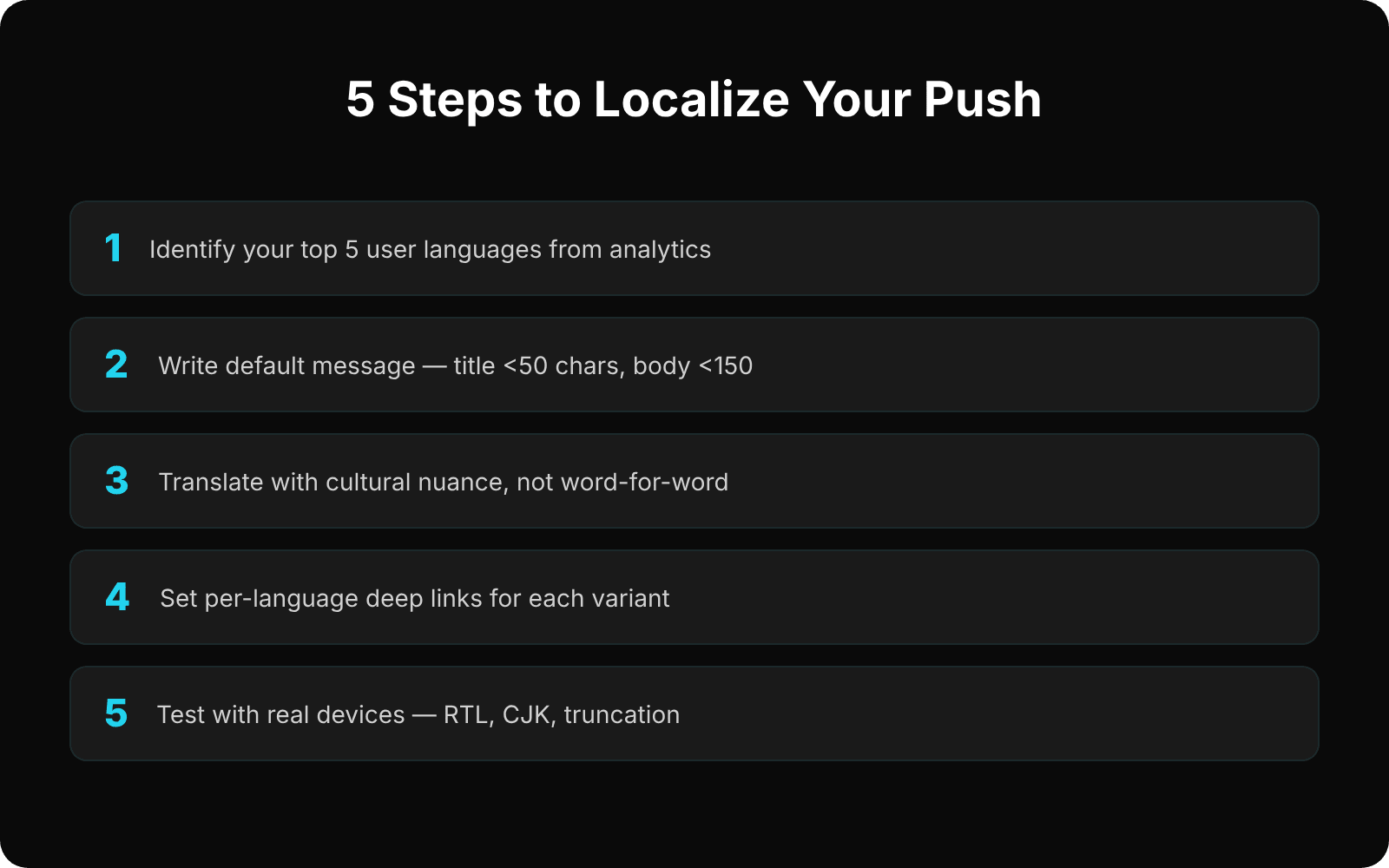
Step-by-Step: Localizing Your First Campaign
Step 1: Identify Your Top Languages
Check your analytics for user language distribution. You don't need to support all 31 languages on day one. Start with the top 5 languages that represent the majority of your user base. For most global apps, that's some combination of English, Spanish, Portuguese, German, French, Turkish, Japanese, or Chinese.
Step 2: Write Your Default Message
Start with your primary language. Keep it concise — push titles should be under 50 characters for reliable display across all devices, and bodies under 150 characters for optimal visibility without truncation.
Title: Your cart is waiting!
Body: Complete your order and get free shipping today.
Step 3: Translate, Don't Transliterate
Direct translation often misses the mark. “Your cart is waiting” makes sense in English, but the equivalent phrase in German or Japanese might sound unnatural. The goal is to convey the same intent, not the same words.
For each language, consider: How would a native speaker express this same urgency? What cultural nuances affect the message? Is the call-to-action clear in this language?
Step 4: Set Per-Language Deep Links
If your app or website has localized content, set different deep links per language. A German user who taps a promotion notification should land on the German version of the promotion page, not the English one.
Step 5: Test with Real Devices
Change your test device's language setting and verify the correct variant is delivered. Check character encoding (especially for CJK languages), RTL rendering (Arabic, Hebrew), and title/body truncation on different screen sizes.
Common Localization Mistakes
- Forgetting the fallback. Always create a message in your default language. Users with unsupported locales should still receive a notification, not silence.
- Ignoring character limits per language. German words are 30% longer than English on average. Japanese uses fewer characters but different line heights. Test each language for display issues.
- Static deep links across languages. If your app has localized content, your deep links should match. A Turkish user clicking through to an English-only landing page is a conversion killer.
- Not tracking per-language performance. Your German localization might have 2x the open rate of your French one. Without per-language analytics, you can't optimize what you can't measure.
The ROI of Push Localization
The numbers are hard to argue with:
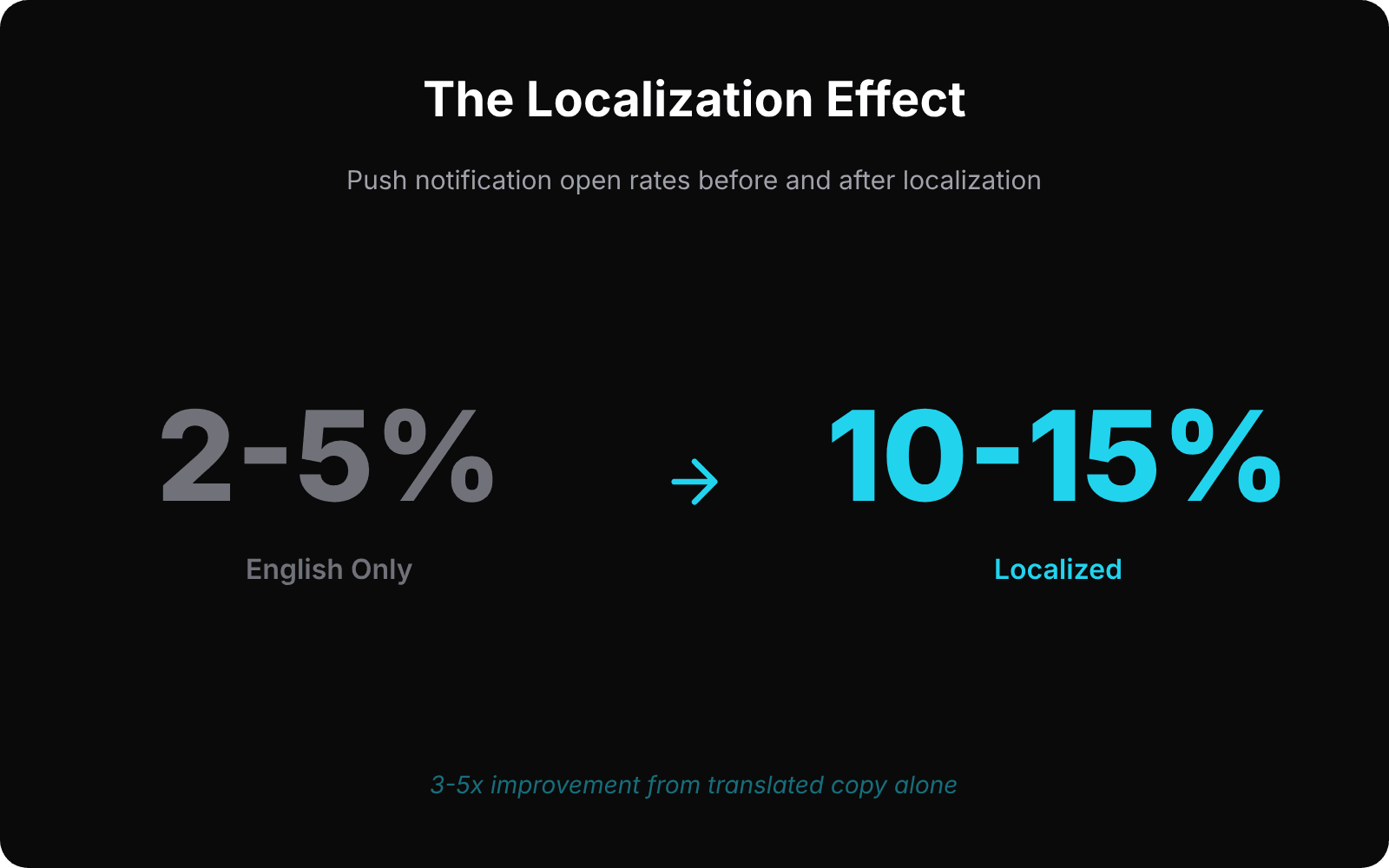
- Non-English push open rates typically jump from 2–5% to 10–15% after localization
- Overall engagement increases 2–3x for apps with global user bases
- Opt-out rates decrease because localized messages feel relevant, not spammy
- Revenue impact is immediate for e-commerce and subscription apps
Getting Started
You don't need to localize everything at once. Start with your highest-impact campaign (usually cart abandonment or re-engagement), translate it into your top 3–5 user languages, and measure the difference. The results typically justify expanding to more languages within the first week.
The tools exist. The content is short. The ROI is proven. The only question is: how much engagement are you leaving on the table by sending English-only push notifications to a global audience?
Ready to send smarter push notifications?
Build smarter engagement with SmartAppPush.
Get Started Free